English
 汉语
汉语
 English
 Français
 Deutsch


How to Request Calibration and Repair Services
At Your Service
TSI is here to support you and your business: we are committed to provide you the highest standards in product service, repair and calibration. A dedicated team of professional experts will take your instrument, get it serviced and send back to you as quick as possible.
With over 60-year experience delivering accurate and reliable measurement solutions for diverse industries, TSI helps you to keep high quality standards in your daily job.
How TSI Service process works
27a2.jpg?width=800&height=332)
How to submit a service request
| 1) Login on TSI.com with your account | 2) Proceed as Guest | 3) Contact your local partner |
| Login for Service Request | Guest Service Request | Find Distributor |
Don’t have a TSI account yet?
No problem - It’s easy to register and submit a request. Click here to register.
Benefits of TSI account
Don't forget that by registering for an online TSI account you can:
|
|
Step by step instructions to submit a Service request as guest
Step 1: Access the website: https://tsi.com/support/guest-service-request/
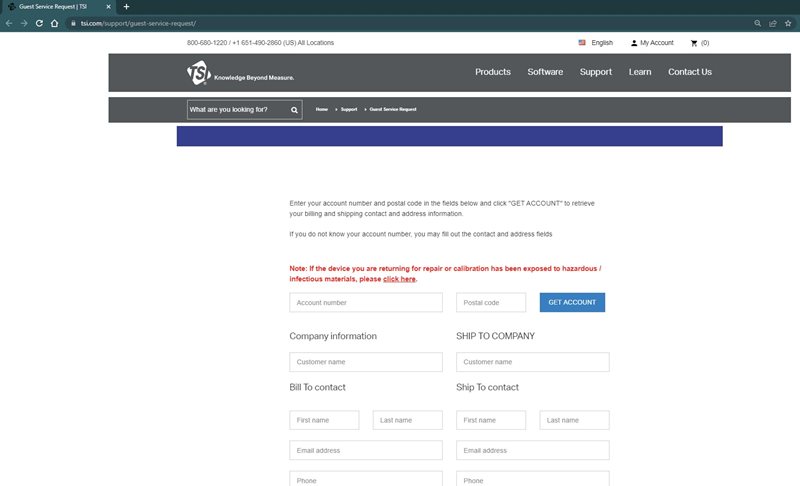
Step 2: Fill out company information
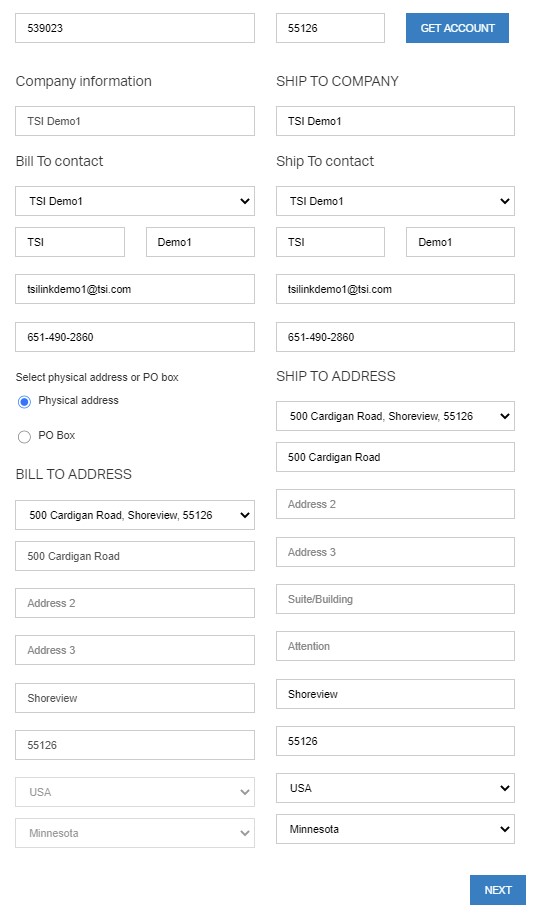
Option 1 - Provide account number and postal code and click “GET ACCOUNT” and fill out drop down and click NEXT (bottom of page):
- Bill to Contact
- Ship to Contact
- Ship to Address
- Bill to Address
Option 2 - Fill out information manually and click NEXT (bottom of page).
Step 3: Fill out instrument information (serial number or name/material) and click “GET SERVICE OPTIONS”
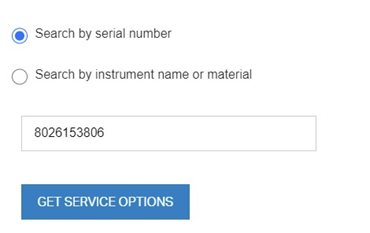
Step 4: Select Service Options from dropdown. Option to FastTrak.

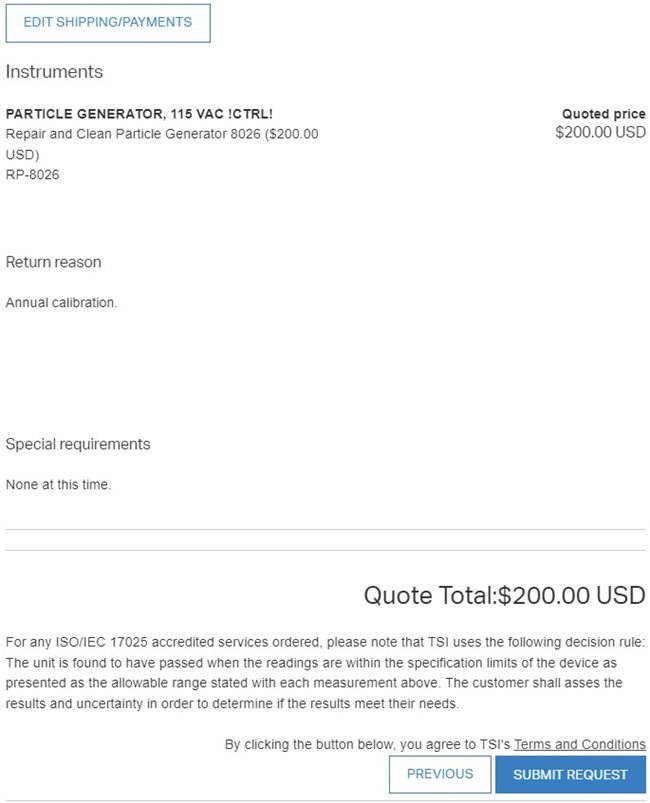
Step 5: Fill out “Return reason” and “Special Requirements” and click NEXT
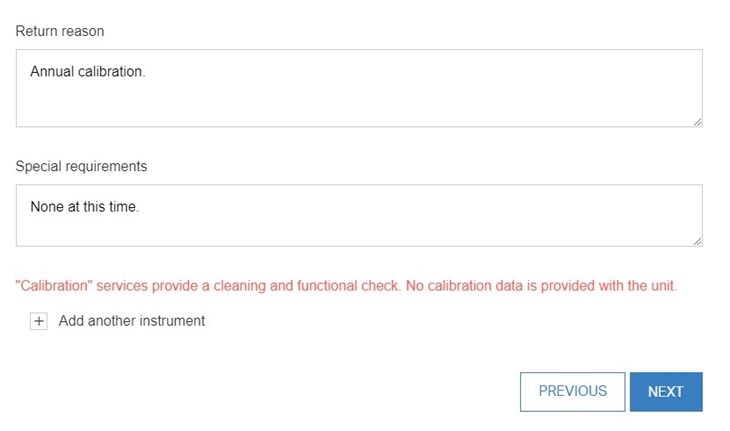
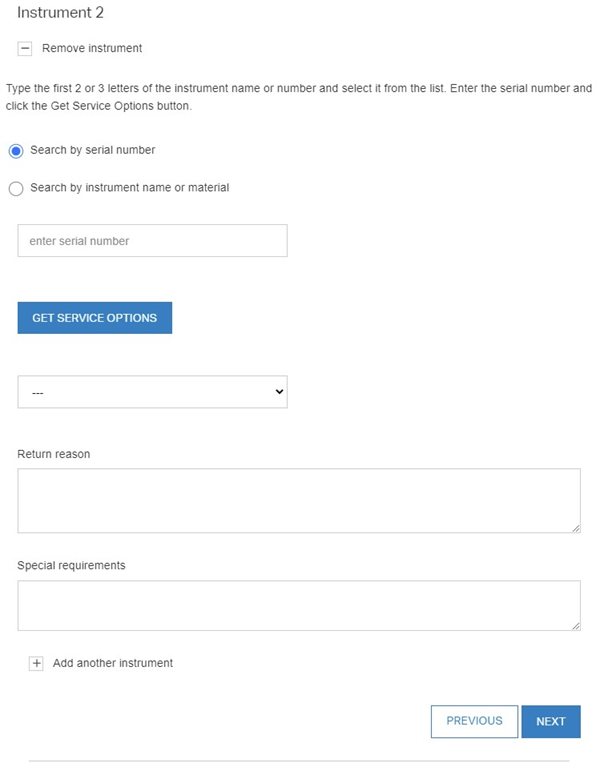
Step 6 (Optional): Add another instrument into same order “Add another instrument by following Step 3 to Step 5. Click NEXT when all instruments have been added into order.
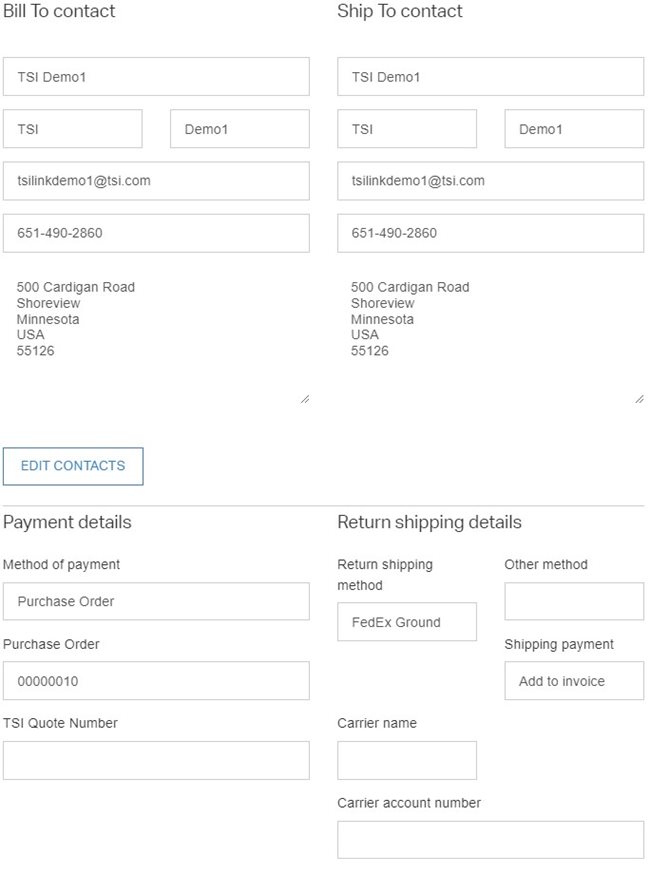
Step 7: Select shipping method
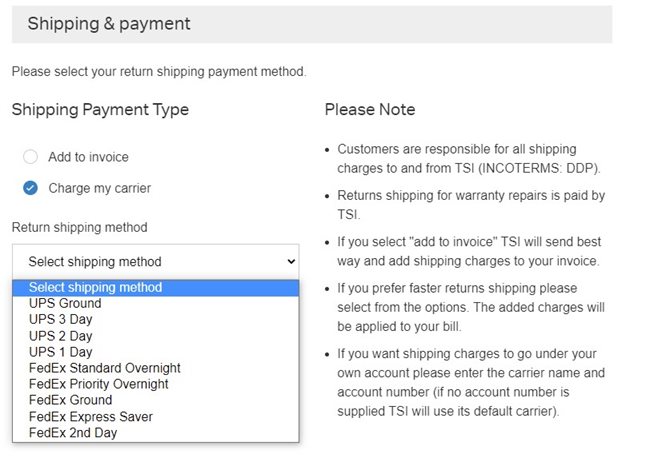
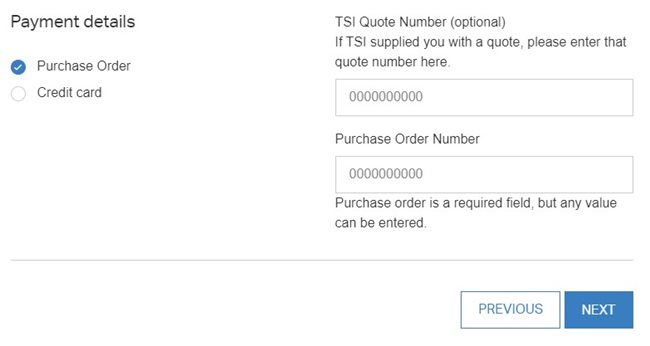
Step 8: Add payment detail and click NEXT
Step 9: Review Order and SUBMIT